Prerequisites
- MID Server installed and working
- All MID servers in the ServiceNow instance needs to have Status: Up
- Set All Application Access for tables:
sc_cat_itemanditem_option_new:- Go to System Definition > Tables > sc_cat_item
- Go to Application Access
- For All application scopes, make sure Can read, Can create, Can update, and Can delete are checked
- Repeat Step 2 and Step 3 for the table item_option_new
- The username logged into ServiceNow needs to match their vRA username (including the domain)
- If you want to perform Day2 actions on any CI other than a Deployment, have the SovLabs ServiceNow CMDB module installed and configured
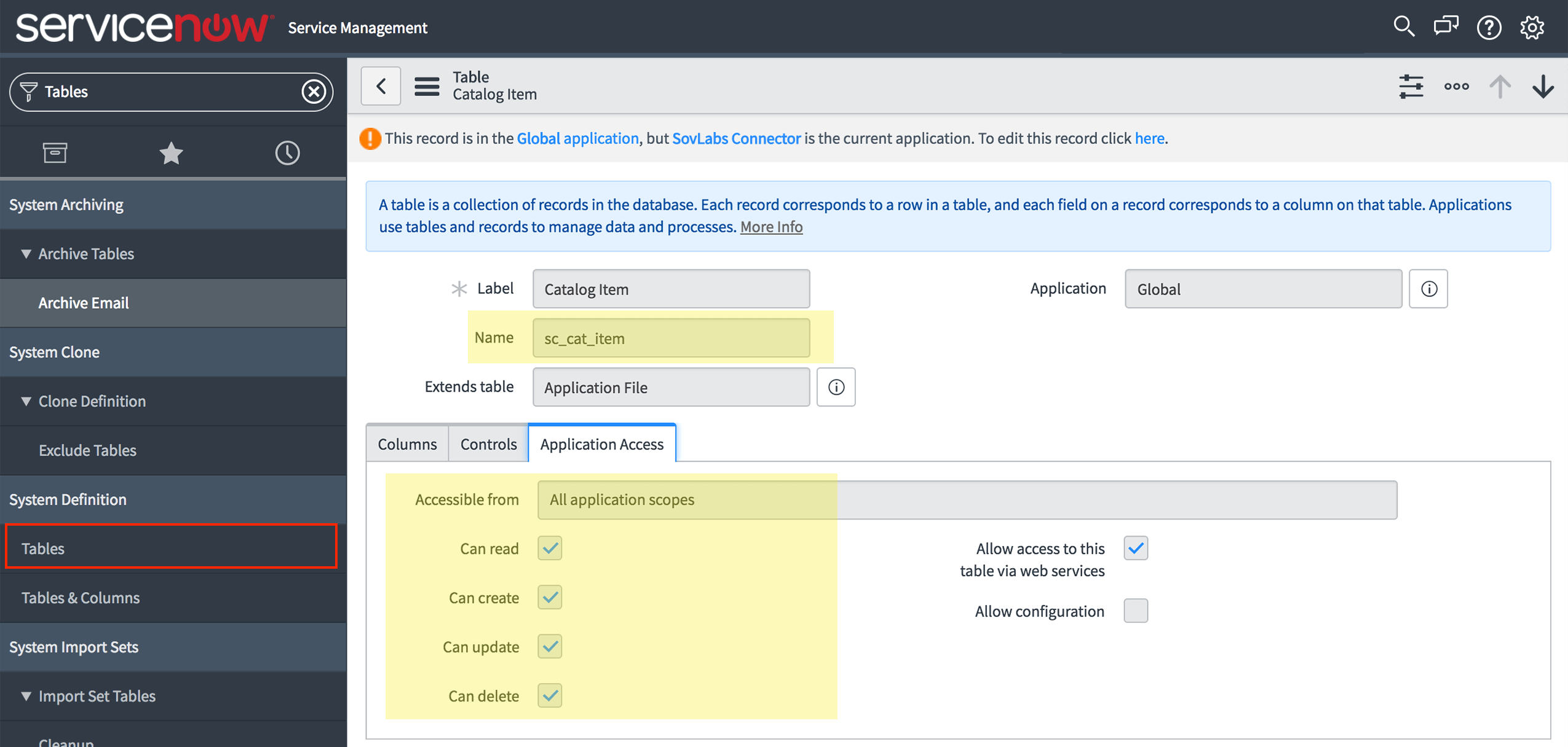
sc_cat_item Screenshot
sc_cat_item table
sc_cat_item (Step 2)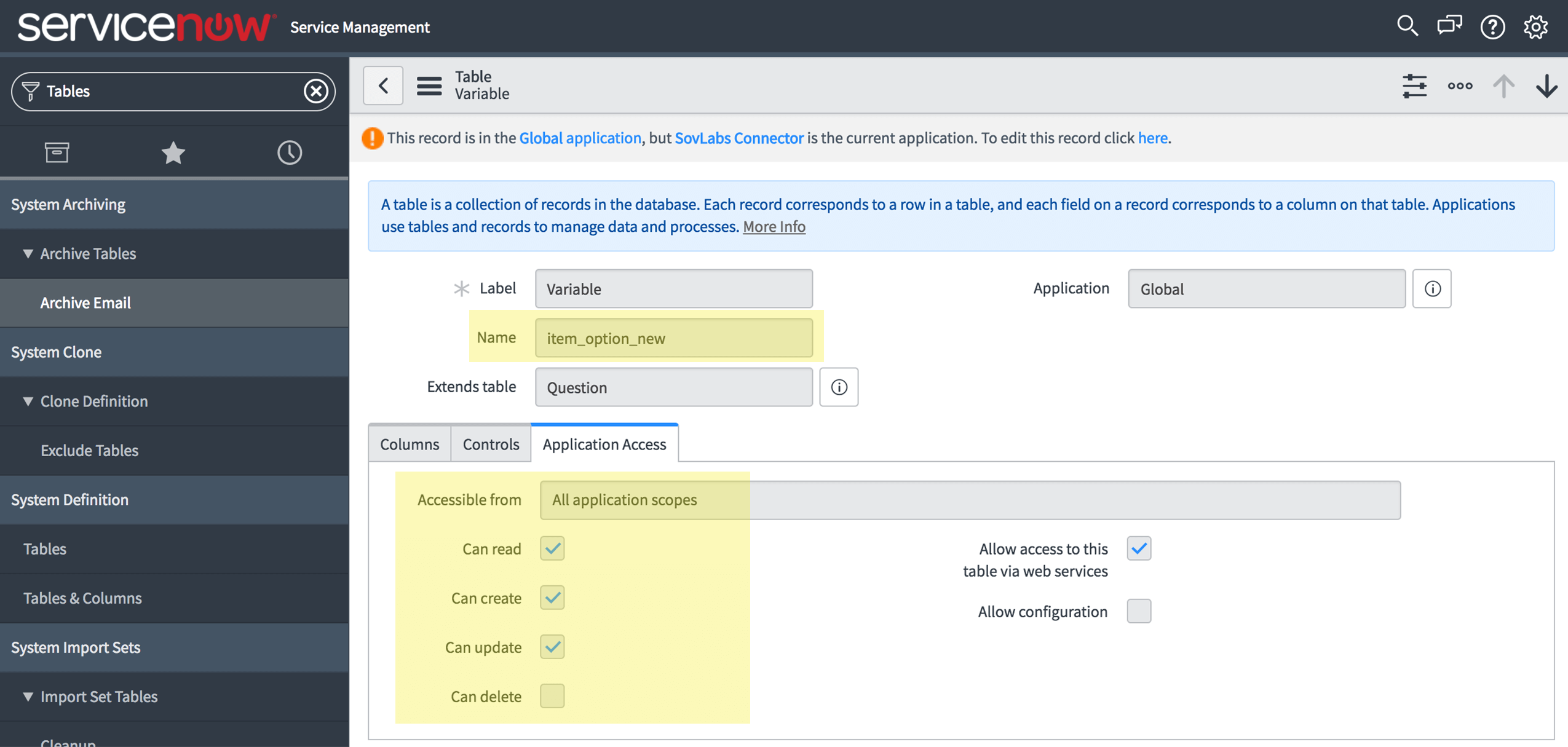
item_option_new Screenshot
item_option_new table
item_option_new (Step 2)